Give your videos a second life

Turn your videos into beautifully crafted blog articles in one click.

No credit card required

β˜… β˜… β˜… β˜… β˜…

4.8 500+ reviews

500k+ articles created by creators, agencies, and teams.

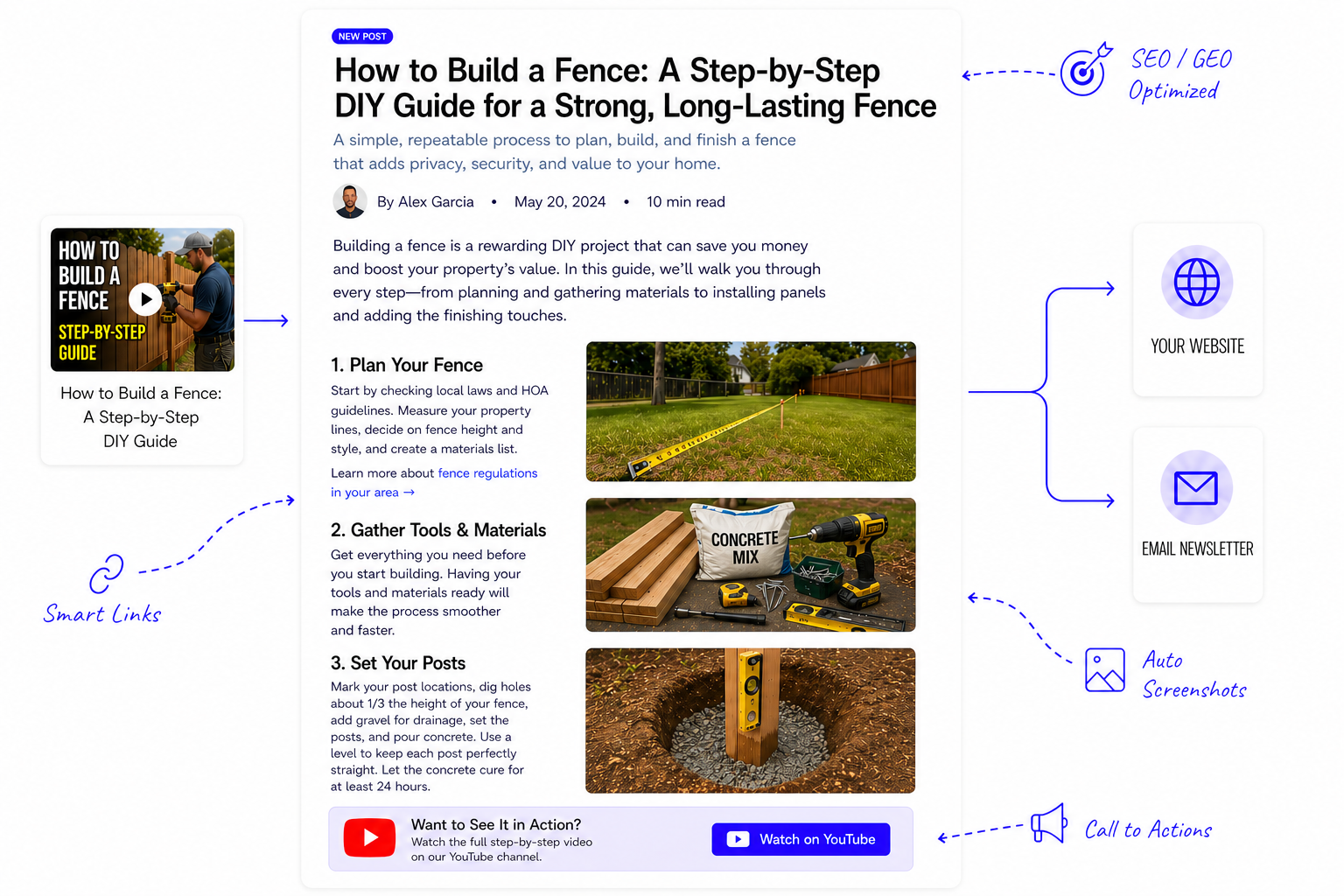
Tutorial video being converted into a blog article with automatic screenshots, smart links, calls to action, SEO-friendly structure, and publishing-ready output.

Benefits

Get more out of your videos

Repurpose your videos into articles that you can post to your website or send as an email newsletter.

Drive website traffic

Convert videos into search-friendly posts that keep bringing in readers.

Grow your audience

Start or grow your email list by turning your videos into email newsletters.

Build authority

Publish polished articles that make your expertise easier to trust.

Delight your readers

Professional Quality Writing That Sounds Like You

Generate articles that sound like you wrote them — not AI.

  • Genuine, human-like writing

    Output that reads naturally, feels polished, and avoids the flat tone people expect from AI content.

  • Matches your tone and voice

    Keep the personality, phrasing, and style that make your content feel unmistakably yours.

  • SEO / GEO optimized

    Built to perform across search and discovery surfaces with clean structure, metadata, and readable formatting.

Professional quality writing preview

Make every post shine

Capture every aspect of your video

Not just the transcript.

  • Auto screenshots

    Automatically pull in key visual moments from the video so the final article feels richer and easier to follow.

  • Smart links

    Include relevant internal and external links automatically so the post feels more useful and easier to navigate.

  • Call to actions

    Generate clear next steps that help readers subscribe, click through, or take action.

Integrations

Publish in one click

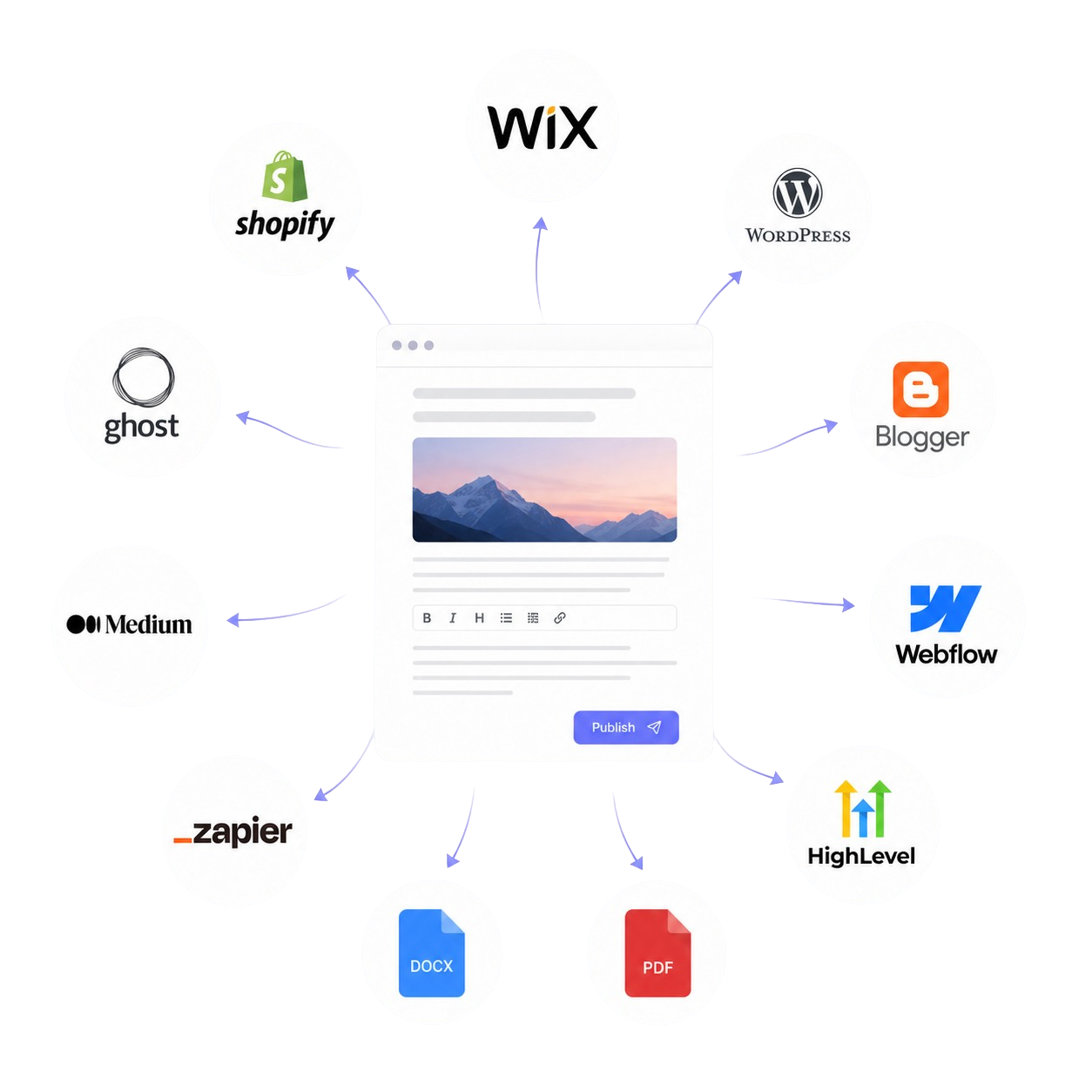
Connect your favorite publishing tools so every finished post fits naturally into the workflow you already use.

  • Website

    Publish directly to your site and keep your content flowing into the platforms you already use.

  • Email

    Turn videos into email-ready posts you can send as newsletters to your subscribers.

  • Download

    Download clean HTML, Markdown, PDF, or Word docs when you want full control over formatting and delivery.

See all integrations
Publishing destinations preview

Website & newsletter builder

No website? No problem.

Create your own publication in minutes. Host your blog posts, launch an email newsletter, and connect a custom domain without juggling extra services.

Learn more about publications

Built-in automation

Automate your content

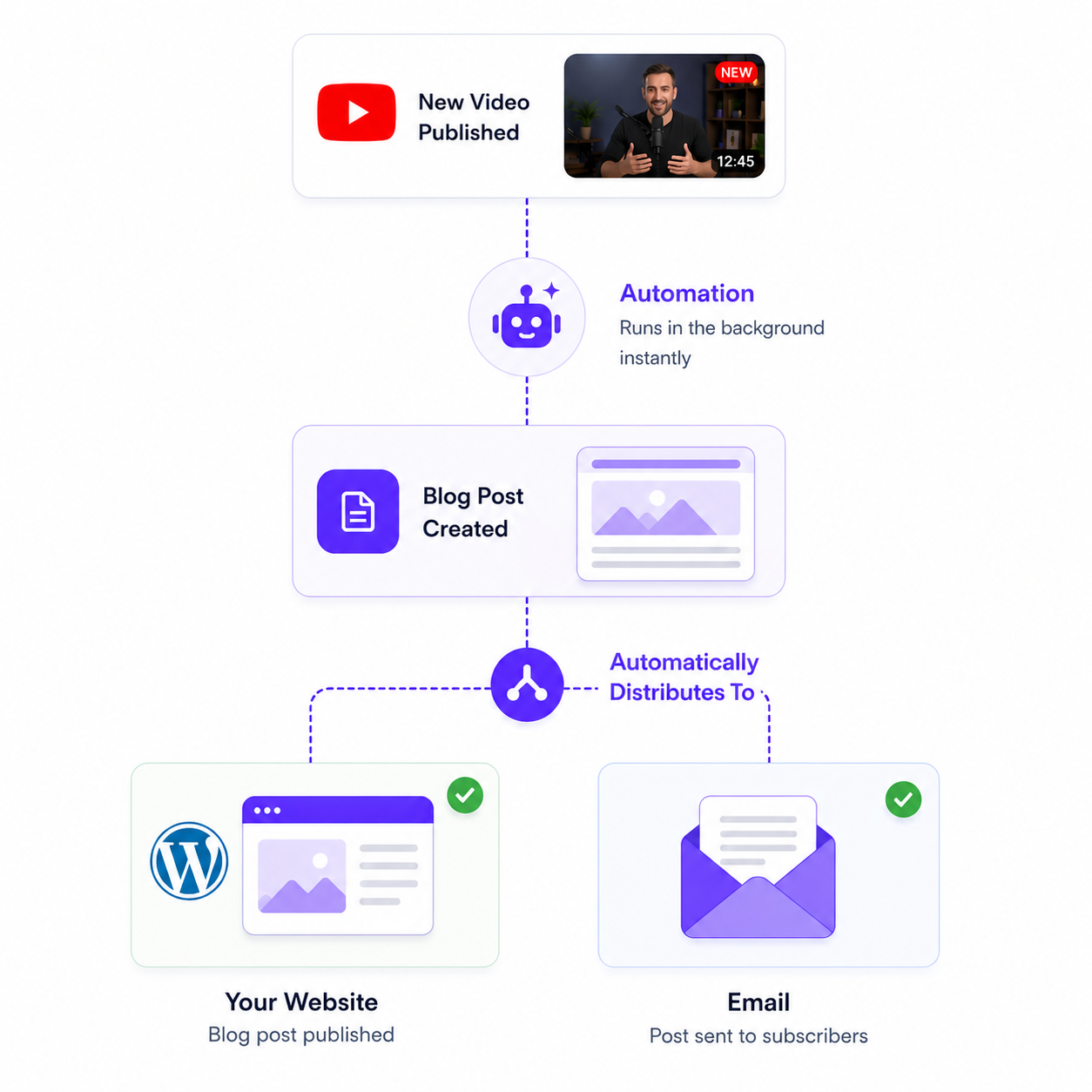
Put your content creation on autopilot with automatic generation from YouTube, flexible publishing flows, and templates that can be tailored to your brand.

  • βœ“

    Generate automatically

    Create posts from new videos without having to kick off every draft by hand.

  • βœ“

    Trigger the right workflow

    Route content into the publishing setup, templates, and destinations that fit your brand.

  • βœ“

    Keep content moving

    Reduce manual steps so new videos turn into publish-ready content faster.

Automation workflow screenshot

Customer reviews

Loved by thousands of creators

See why teams rely on Video To Blog to publish faster

Reviewer avatar for Nachole J. on Capterra
Capterra Nachole J. CEO

A must-have for repurposing YouTube videos

β€œI find the software easy to use and produce great quality blogs from my YouTube videos.”

Reviewer avatar for Enrico G. on Capterra
Capterra Enrico G. CMO

Should be called Video to Success

β€œIt is well worth the investment if you post content.”

Reviewer avatar for Nicolas R. on Capterra
Capterra Nicolas R. CEO

Game changer for writing productivity

β€œIt increased a lot of productivity for writing blog posts. I like the feature to publish on WordPress sites in one click.”

Reviewer avatar for Mark D. on G2
G2 Mark D. Business Consultant

Instantly turn videos into engaging blog posts

β€œWith just a few clicks, it creates a structured blog post with headings, screenshots, and embedded calls to action.”

Reviewer avatar for Bob G. on G2
G2 Bob G. National Marketing Director

Blog creation made easy

β€œVideoToBlog allows us to take our videos and quickly convert them to high quality, professional and well written blog posts.”

Reviewer avatar for Iwan G. on G2
G2 Iwan G. Entrepreneur & Freelancer

Video-to-Blog is a gem

β€œThe quality is high on each publication and follows what is said in the video, which is very important.”


FAQs

What kind of videos or files can I use?

You can create a blog post from a YouTube link, uploaded video files, audio files, uploaded transcripts, direct audio recordings, Google Drive uploads, and bulk-upload workflows for multiple videos. The best fit is content with clear spoken information, like webinars, podcasts, tutorials, interviews, lectures, sermons, trainings, and other educational or informational recordings. Pure music videos, silent footage, or anything without meaningful spoken content usually will not convert well into a blog post.

Does it work with audio?

Yes. Audio-only files work too. If there is spoken content, Video To Blog can still turn it into a structured article, which makes it useful for podcasts, interviews, and recorded talks even when there is no video track.

Do you integrate with my YouTube channel?

Yes. You can work from YouTube videos directly, and there are workflows for automatically generating content from connected channels so new uploads can turn into articles without doing everything manually.

Can’t I just do this with ChatGPT?

You can use ChatGPT for parts of the writing, but you still have to get the transcript yourself and manually piece everything together. Video To Blog is built for the full workflow: it can turn source content into a publish-ready article with screenshots from the video, reliable links, metadata, CTAs, and SEO-friendly structure, while also saving your settings, supporting automation, working with connected channels, and exporting directly to your website or publication. ChatGPT can help you write. Video To Blog helps you actually produce and publish the finished post.

Does it support multiple languages?

Yes. Video To Blog supports multiple languages, so you can generate articles for a global audience instead of being limited to English-only content. That makes it useful for multilingual creators, teams, and publications that want to repurpose content across markets.

Do you have a free version?

Yes, we have a free version. Check out our pricing page for more details.

Try it now

Enter a YouTube link or upload a video or audio file.

No credit card required