I Tested the Best AI Video Generators in 2026: Which One Should You Use?

Everyone is making AI videos right now, but almost everyone makes the same mistake: they choose a generator based on hype, burn through their credits, and still do not get the result they had in mind.
The right AI video generator depends entirely on what you are trying to create. Fast social clips, realistic action, photorealistic nature footage, long cinematic sequences, and polished production-ready shots all have different requirements.
After testing and comparing the major options, these are the five AI video generators actually worth paying attention to in 2026: PixVerse, Kling AI, Google Veo 3.1, Sora 2, and Seedance 2.0.
The Quick Answer: Which AI Video Generator Is Best?
- Use PixVerse for free, fast, high-volume social content.
- Use Kling AI when realistic motion and action are the priority.
- Use Google Veo 3.1 for photorealistic people, natural environments, beaches, sunsets, and lifestyle footage.
- Use Sora 2 for longer, hyper-realistic sequences with multi-shot storytelling, sound, and large-scale environments.
- Use Seedance 2.0 for the strongest overall cinematic quality and the closest thing to production-ready AI video.
None of these tools is perfect. Each has a trade-off in quality, speed, cost, clip length, accessibility, or control. The goal is not to find a universally perfect tool. It is to pick the one that fits the job before spending credits.
1. PixVerse: The Best Free Starting Point for Fast Social Clips
PixVerse is the most accessible place to start if you have never used an AI video generator before. Its basic plan is free, requires no credit card, and allows you to type a prompt and generate a short clip within seconds.
The interface is straightforward. You get text-to-video and image-to-video generation without a complicated setup process. That simplicity makes it useful for testing concepts, making short-form content quickly, and learning how prompt-based video generation works.
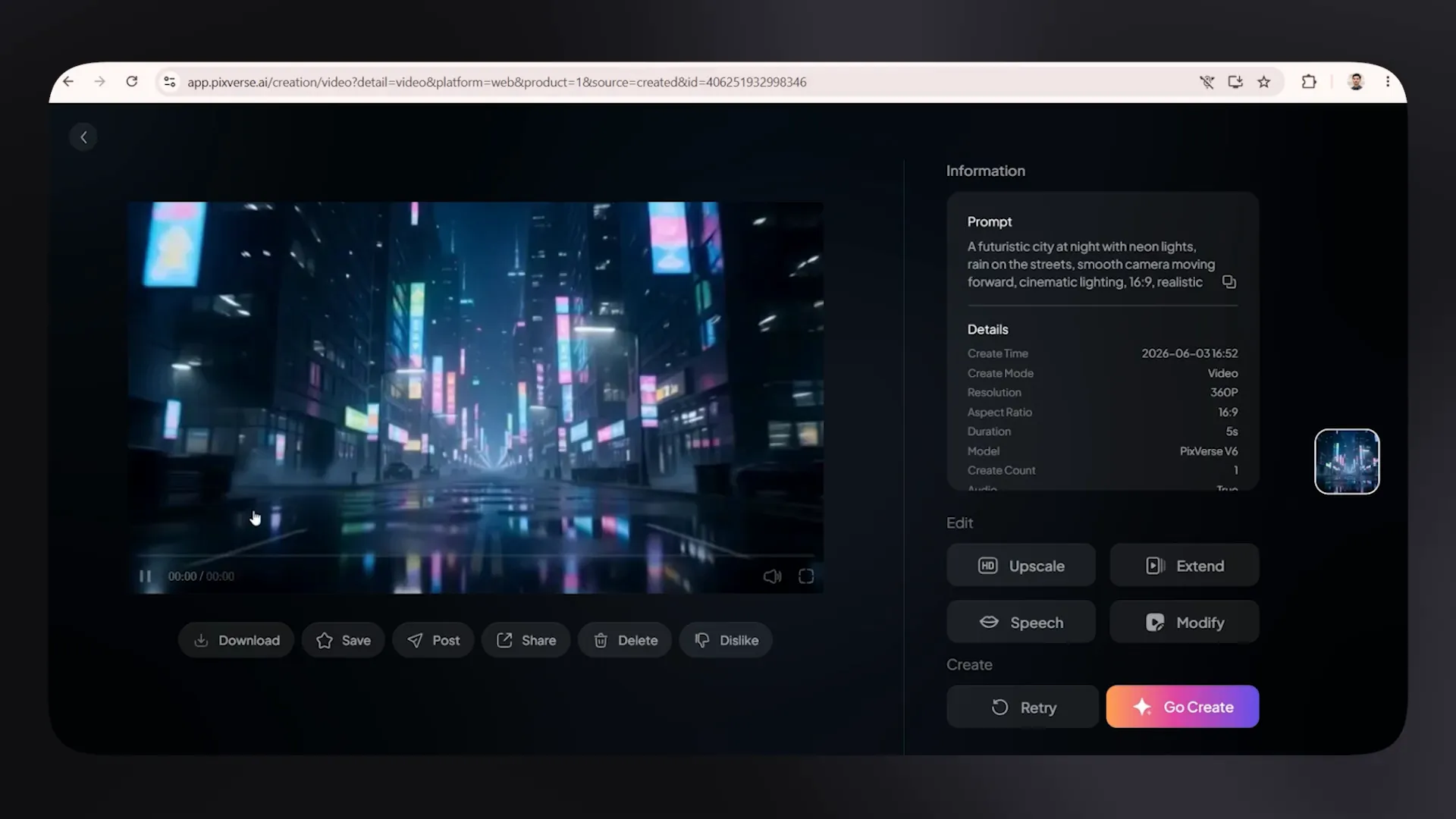
Where PixVerse Works Best
- High-volume social content
- Fast five to 10 second clips
- Quick concept testing
- Beginners who want to learn without spending money upfront
- Text-to-video and image-to-video experiments
Where PixVerse Falls Short
The trade-off is quality. PixVerse has a noticeably lower visual ceiling than the tools higher on this list, and its motion control is limited. It can get the job done when speed matters more than perfection, but it is not the choice for cinematic realism or precise action sequences.
Start here if you want a free learning environment. Once you understand how prompting, styles, and references affect the output, then it makes sense to compare paid options.
2. Kling AI: The Best AI Video Generator for Realistic Motion
When motion needs to look believable, Kling AI is one of the strongest options. It handles movement such as cars driving, characters running, and fast-paced action better than most entry-level generators.
Its physics often feel surprisingly natural, even with a relatively simple prompt. A one-line prompt for a car speeding through a tunnel, for example, can produce a genuinely convincing result with movement that holds together from shot to shot.
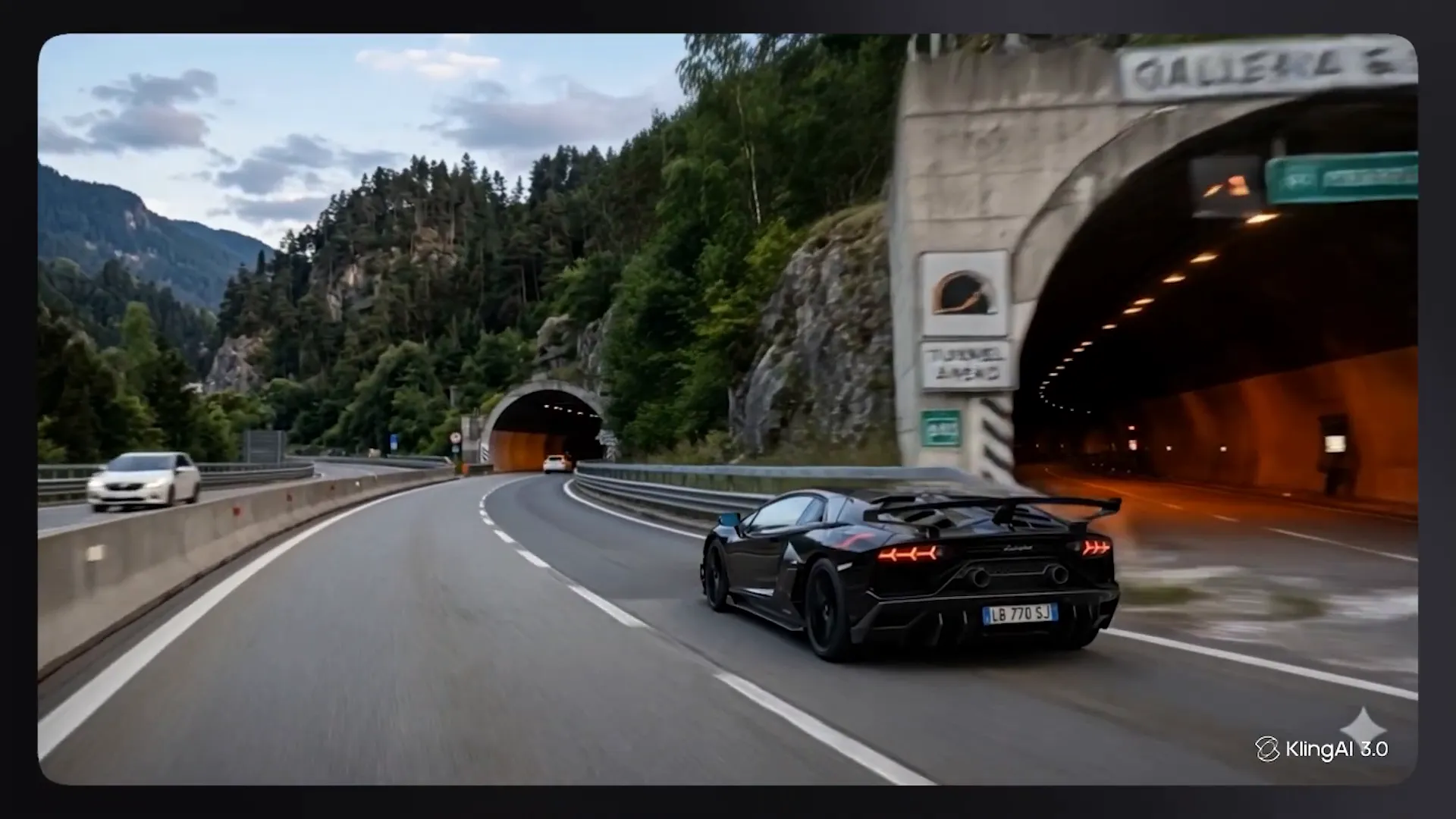
Why Kling Is Worth Using
- Strong motion realism for vehicles, action, and moving characters
- Natural-looking physics in many fast-motion scenarios
- Free signup credits with no credit card required
- A solid option for testing realistic action before committing to a subscription
Kling AI Limitations
The free tier limits clips to around five seconds, which can make credits disappear quickly if you are iterating heavily. Lighting and scene consistency can also become unreliable when prompts are too broad or lacking detail.
That means Kling rewards specificity. If you want a car moving through a tunnel, do not stop at that. Define the time of day, camera perspective, speed, road conditions, environment, visual style, and movement direction. Better prompt detail gives the model less room to make strange lighting or scene choices.
Best use case: Choose Kling when motion and speed matter more than long clip length or absolute visual polish.
3. Google Veo 3.1: Best for Photorealistic Nature and Human Scenes
Google Veo 3.1 is a major player in photorealistic AI video, especially for natural environments and grounded human scenes. Beaches, sunsets, people walking, nature footage, and lifestyle-style visuals are where it can look genuinely impressive.
It is also notable for accessibility. Personal Google accounts can receive 10 free video generations per month, without requiring a credit card or subscription. For a free tier, that is a significant opportunity to test high-quality photorealistic video generation.
Veo is integrated into Google Vids as well, which is useful if your workflow is already built around Google's tools. You can generate and edit without constantly switching platforms.
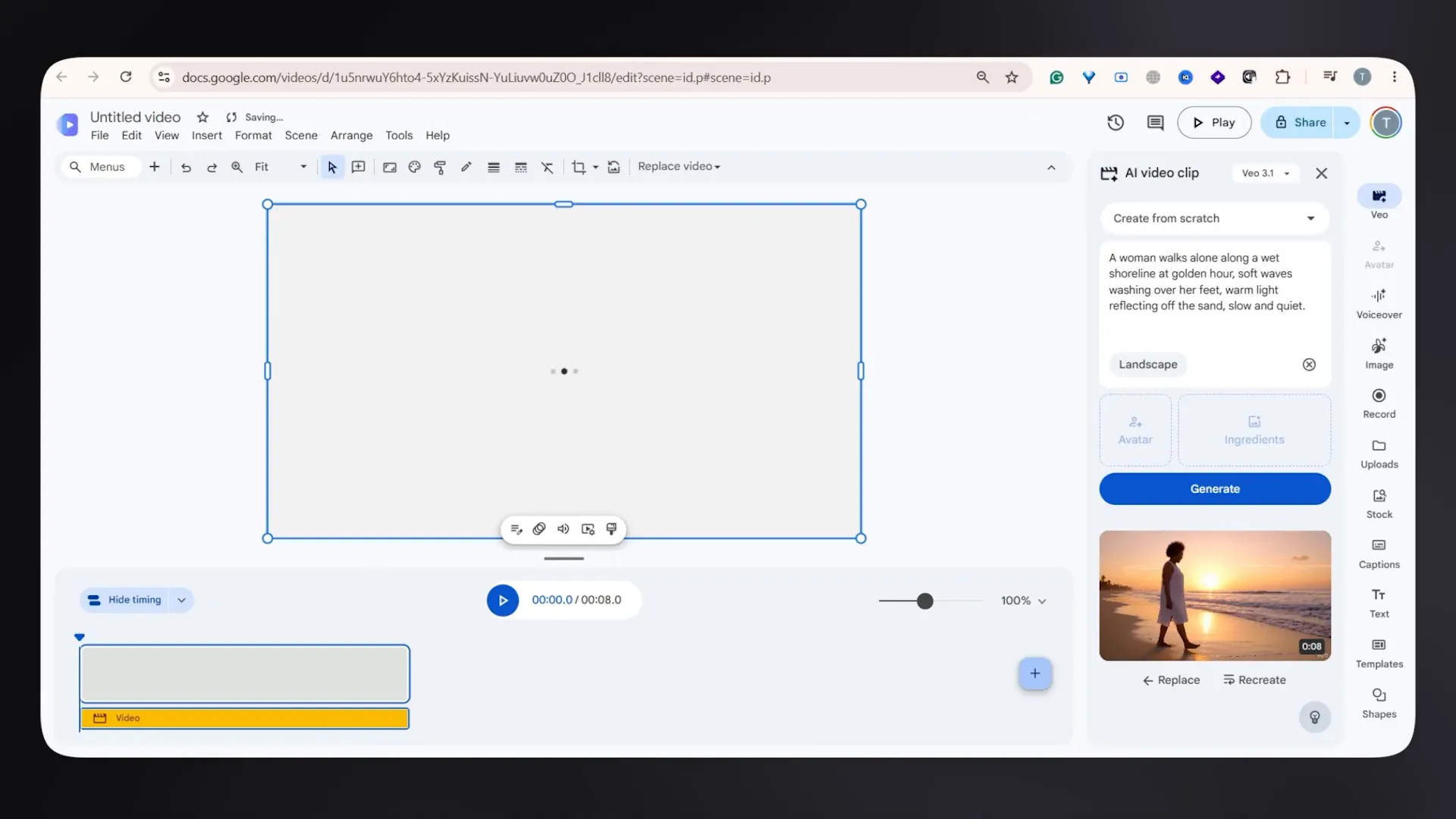
What Google Veo 3.1 Does Well
- Photorealistic natural scenery
- People walking and lifestyle footage
- Beaches, sunsets, and outdoor environments
- Realistic lighting and detailed textures
- Google-native creation and editing workflows
What to Know Before Using Veo
Free clips are generally capped at eight seconds. Generation can also be slower than previous versions, particularly when audio is enabled. With audio, render time may increase by roughly 25% to 30%, which becomes noticeable if you are generating many clips in one session.
Veo is a great fit if you need short, polished shots and can tolerate slower generation. It is less ideal when you need lots of footage quickly or longer uninterrupted scenes without upgrading.
Best use case: Use Veo 3.1 for short photorealistic shots of people and nature, especially when visual atmosphere matters more than clip length.
4. Sora 2: Best for Longer Cinematic Stories and Large-Scale Scenes
Sora 2 earns its place because the output can be exceptionally strong. Although it is being discontinued by OpenAI, it remains accessible through platforms such as Higgsfield and OpenArt until at least September 2026.
Sora is not just an incremental improvement in image quality. Its longer generations change what is possible. On the Pro tier through ChatGPT, clips can reach roughly 15 to 25 seconds. That is the difference between generating one attractive shot and generating a complete short story.
Why Sora 2 Is Different
- Longer clips, around 15 to 25 seconds on Pro access
- Highly realistic physics for gravity, collisions, and motion
- Synchronized sound effects and dialogue
- Multi-shot storytelling within a single generation
- Camera transitions without manually stitching together every moment
- Strong results for aerial footage, cityscapes, drone shots, and massive environments
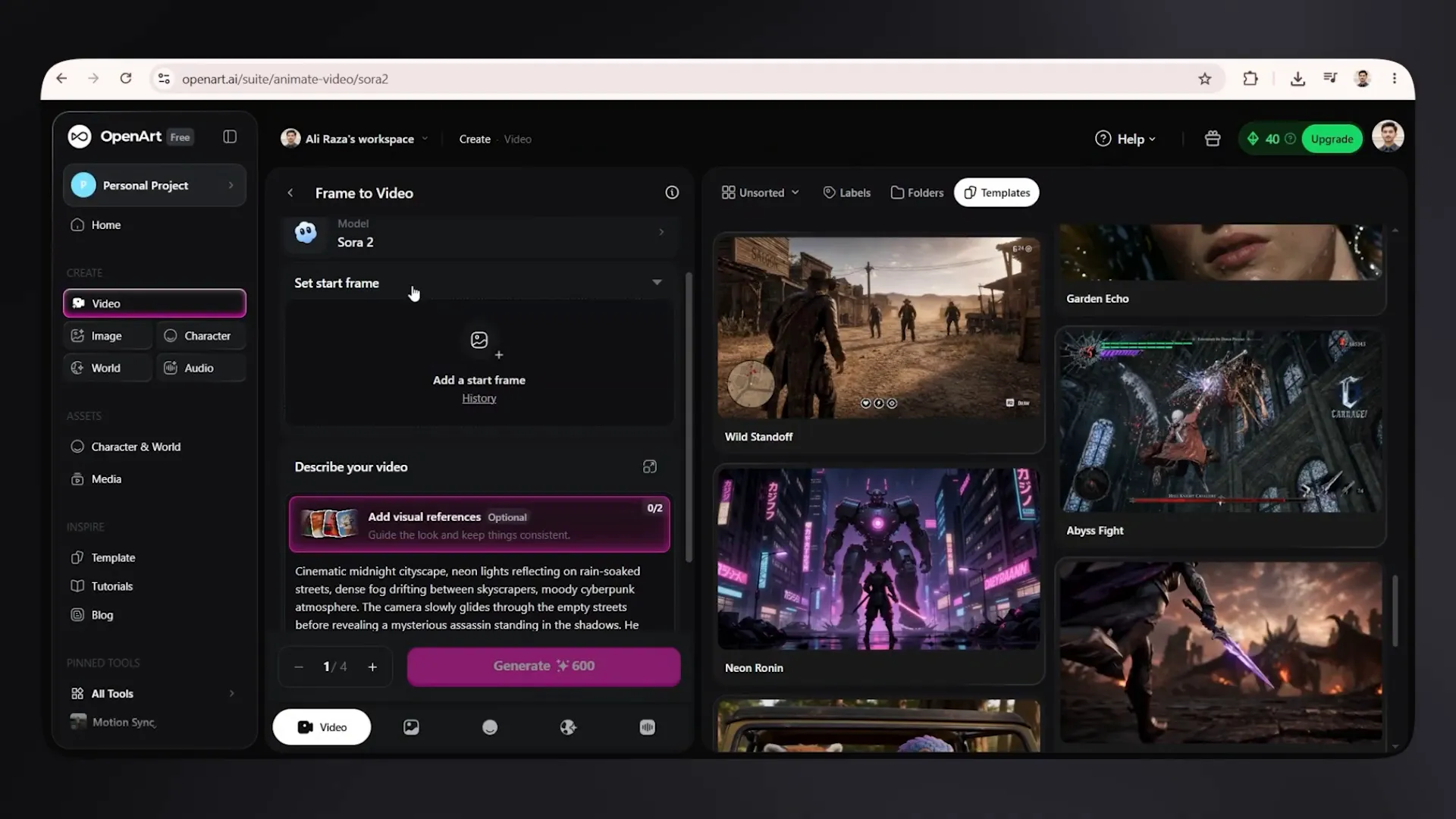
For expansive settings, aerial views, city environments, and cinematic concepts, Sora is in a class of its own among the tools discussed here. The realism of its physics also helps scenes feel less like disconnected AI imagery and more like an actual filmed sequence.
The Downsides of Sora 2
Access is the main problem. Sora is more expensive and less straightforward to use than PixVerse or Veo 3.1, especially if you are relying on third-party platforms. It is not the simple, low-cost option for casual clip generation.
There are also real privacy considerations. OpenAI's own documentation flags the risk of non-consensual likeness use in misleading content. If confidentiality, consent, or identity protection is a major concern, treat that seriously before choosing the platform or uploading reference material.
Best use case: Use Sora 2 when you need hyper-realistic, longer, story-driven scenes and access or budget is not your biggest constraint.
5. Seedance 2.0: The Best Overall AI Video Generator in 2026
In my opinion, Seedance 2.0 is currently the king of AI video generators. It is the closest thing available to a production-ready AI video tool, with one important warning: that quality comes at a price.
Seedance supports cinematic output from 1080p up to 2K. The lighting holds up well under close inspection, visual details are often correct on the first generation, and the model has the best semantic understanding of the tools on this list.
That last point matters a lot. Semantic understanding means the tool is more likely to understand what you actually mean, not just latch onto a few keywords and improvise the rest. If the prompt is clear and sensible, Seedance tends to follow the intended concept better than the alternatives.
What Makes Seedance 2.0 So Strong
- Cinematic 1080p and 2K output
- Strong lighting and fine visual detail
- Excellent prompt comprehension and semantic understanding
- Multi-shot video generation from text prompts
- Image-to-video animation using an uploaded photo
- Smoother motion across full sequences
- High-quality first-pass generations more often than competing tools
You can upload a photo and animate it, or prompt a full sequence without a reference image. In both cases, the motion tends to remain smooth throughout the generated footage.
The Cost of Production-Ready Quality
Seedance is not cheap. The free tier can get you started, but full access requires a paid plan, and credit usage is higher than the other models listed here. A single generation can consume a meaningful number of credits. A few vague prompts can wipe out a budget very quickly.
This is not a tool to use casually with loose ideas. Before hitting generate, map out exactly what you want:
- Define the subject and setting.
- Describe the action clearly.
- Choose the camera angle and movement.
- Specify lighting, mood, style, and timing.
- Decide whether the result should be a single shot or a multi-shot sequence.
- Write the prompt as precisely as possible before spending credits.
With Seedance, a strong prompt is not just a quality improvement. It is how you avoid wasting money.
Best use case: Start with Seedance 2.0 when you need peak quality, cinematic presentation, and a more production-ready result.
How to Choose the Right AI Video Generator
The simplest way to choose is to begin with the kind of footage you need, not with the tool everyone is talking about.
| Need | Best Tool | Why |
|---|---|---|
| Fast social media clips | PixVerse or Kling AI | Quick generation and accessible entry points |
| Realistic movement and action | Kling AI | Strong motion, vehicles, character movement, and physics |
| Nature and human lifestyle footage | Google Veo 3.1 | Photorealistic lighting, textures, and natural environments |
| Longer cinematic sequences | Sora 2 | Longer clips, sound, camera transitions, and multi-shot storytelling |
| Premium production-ready AI video | Seedance 2.0 | Best overall quality, prompt understanding, and cinematic output |
Do Not Waste Credits: Match the Tool to the Project
The biggest mistake is expecting one generator to do everything equally well. It will not.
PixVerse is accessible and fast, but its visual ceiling is lower. Kling is great for motion, but its free clips are short and lighting can slip. Veo 3.1 makes beautiful natural scenes, but is slower and generally limited to eight seconds. Sora 2 can create incredible long-form sequences, but access, cost, and privacy considerations are real. Seedance 2.0 offers the strongest overall quality, but it demands a paid plan and disciplined prompting.
If you need quick social content, PixVerse or Kling is enough. If you need photorealistic nature shots, Veo 3.1 is the better fit. If you want the highest-quality cinematic footage currently available, start with Seedance.
The best AI video generator is the one that matches the actual job. Choose based on the footage you need, write clearer prompts, and save your credits for generations that have a real chance of working on the first try.


