Turn Podcast Episodes into Blog Articles Instantly!

Jan 14, 2026 • 3 min read

Repurposing podcast episodes into SEO-optimized blog posts is one of the fastest ways to extend reach, capture search traffic, and give listeners a written companion they can skim. With the right workflow you can go from audio file to publish-ready article in just a few minutes—and still keep it high quality.
Why turn podcasts into blog posts?
- Boost SEO: Written content ranks in search engines and drives organic traffic to your site.
- Increase accessibility: Readers who prefer text or need captions get a clear, scannable version of your episode.
- Multiply content: One episode becomes a blog post, social snippets, and newsletter content.
- Improve discoverability: Searchable show notes, metadata, and internal links help users find related material on your site.
What you'll need
- A podcast episode: a YouTube link or an audio file (MP3, WAV, etc.).
- An account on Video To Blog (you can try for free).
Step-by-step workflow
-
Import the episode
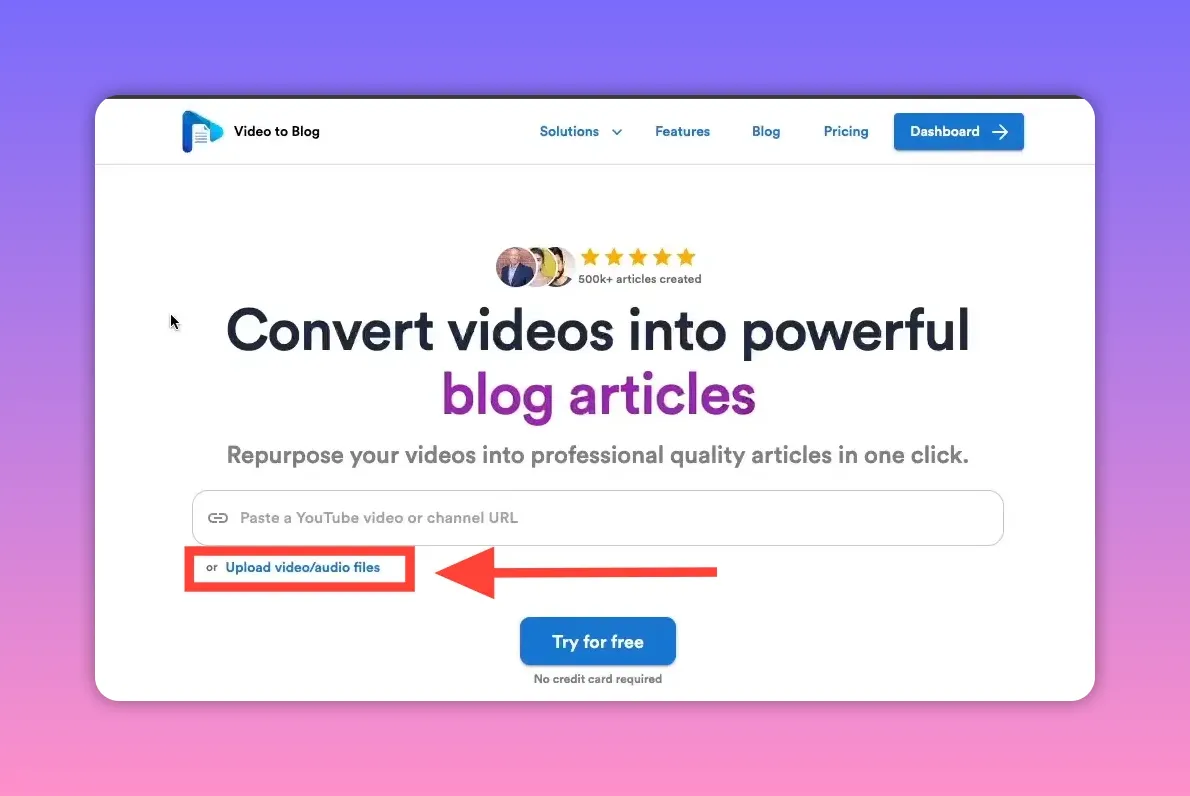
Paste a YouTube link or upload your audio file. If you keep your episodes on a hosting platform, download the audio and upload it. Video To Blog will transcribe the audio automatically and begin building the post.
-
Pick the article type: companion or original
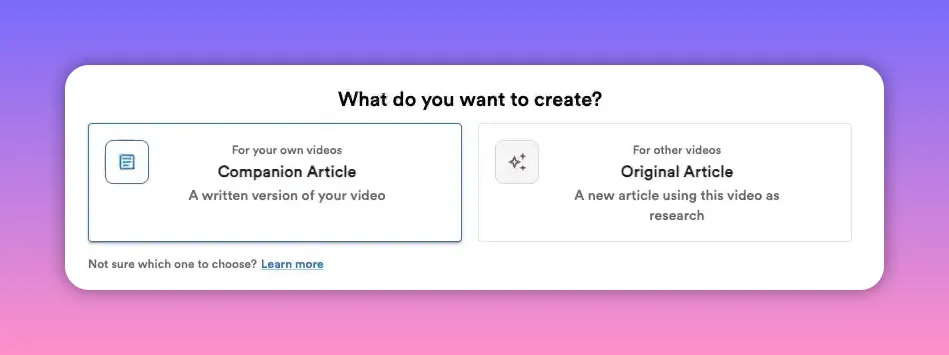
Choose Companion Article if you want a written version that aligns closely with the episode and lives alongside it on your site. Choose Original Article when you want AI to use the episode as research and produce a fresh, unique piece.
-
Add a featured image (optional)
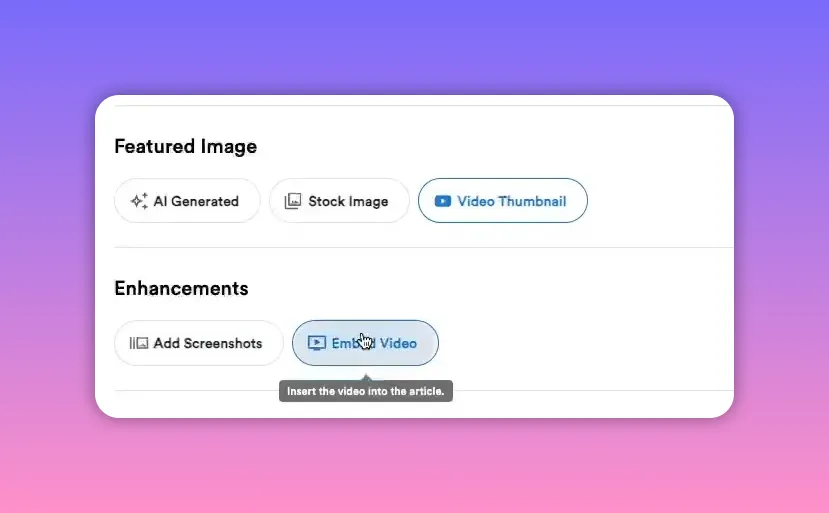
I recommend always adding at least one image to a blog post. In this case, I'm going to choose the video thumbnail. You can also choose to embed the podcast if it's a video.
-
Enable internal and external linking (optional)
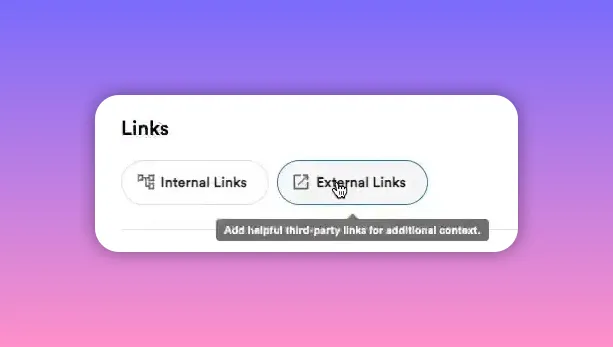
Internal links: Let the AI scan your website and insert links to related pages. This helps both SEO and user navigation.
External links: Opting in allows the tool to find relevant references from authoritative domains. This typically adds a couple extra minutes of processing but raises the post's value.
-
Customize structure and voice (optional)
Add a writing sample if you want the AI to mimic a particular tone. Turn on a table of contents or FAQs if you want structured sections and schema-ready data.
-
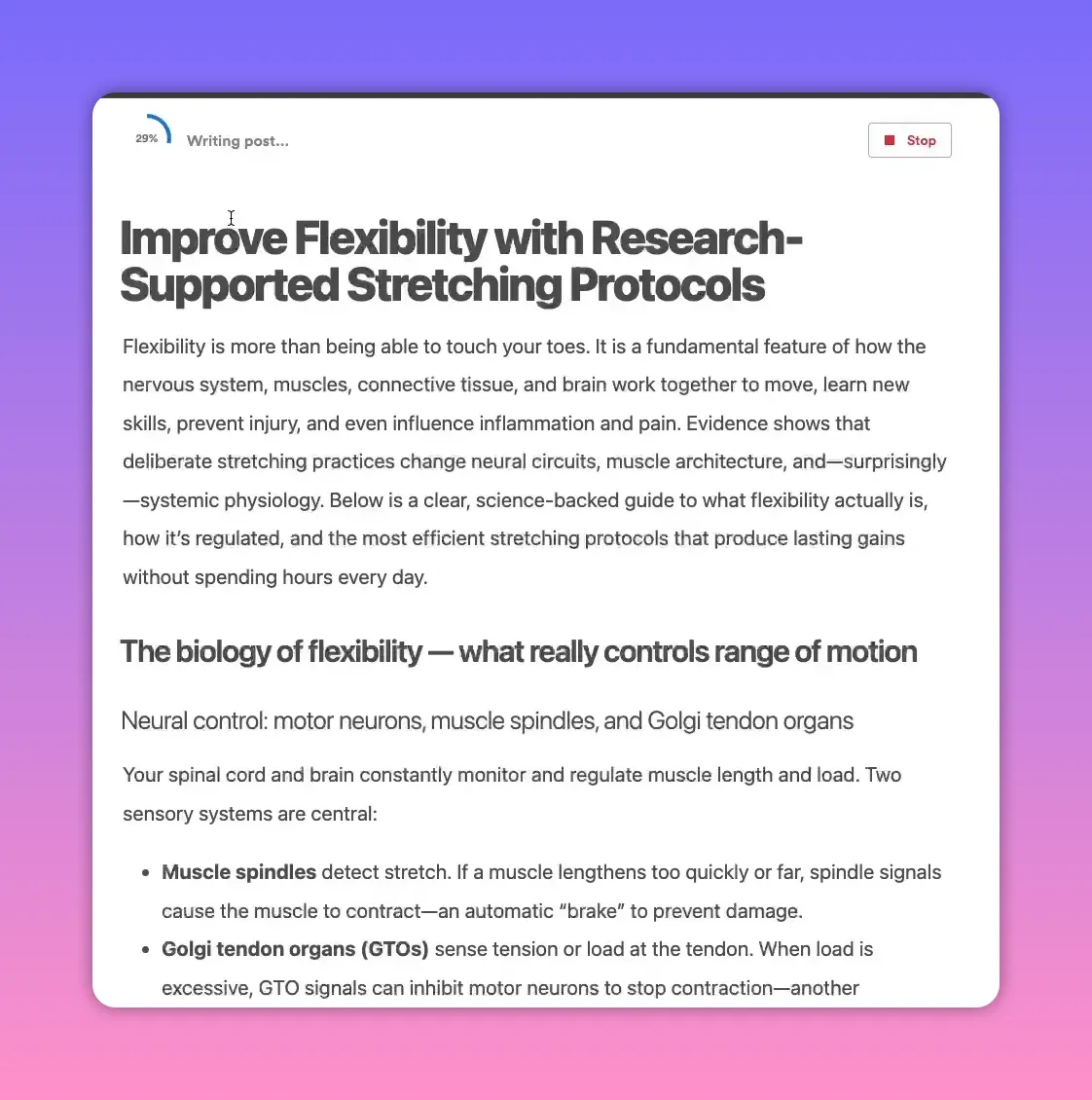
Generate the draft and metadata
The draft will appear quickly. Behind the scenes the system generates SEO essentials: meta title, meta description, alt tags and file names for images, an SEO-friendly slug, and JSON-LD for FAQs when enabled.
-
Review and edit
Don’t publish raw output without a pass—plan on spending about 10 minutes polishing the draft. Edit for clarity, check quotes or timestamps, and make sure examples and recommendations match your style.
-
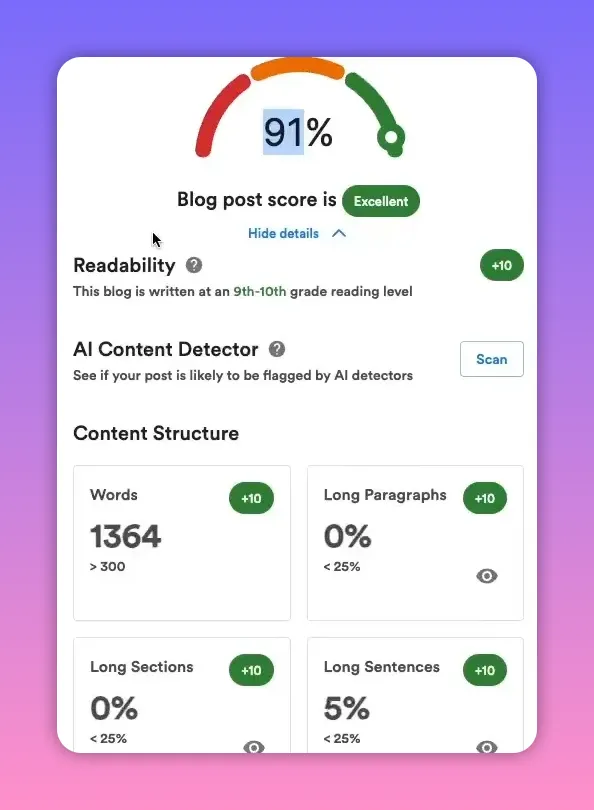
Run SEO and quality checks
Use the platform’s built-in scorecard: readability, word count, missing alt tags, internal link coverage, and even AI content detector scans if you care about those signals. If something is missing, address it before publishing.
-
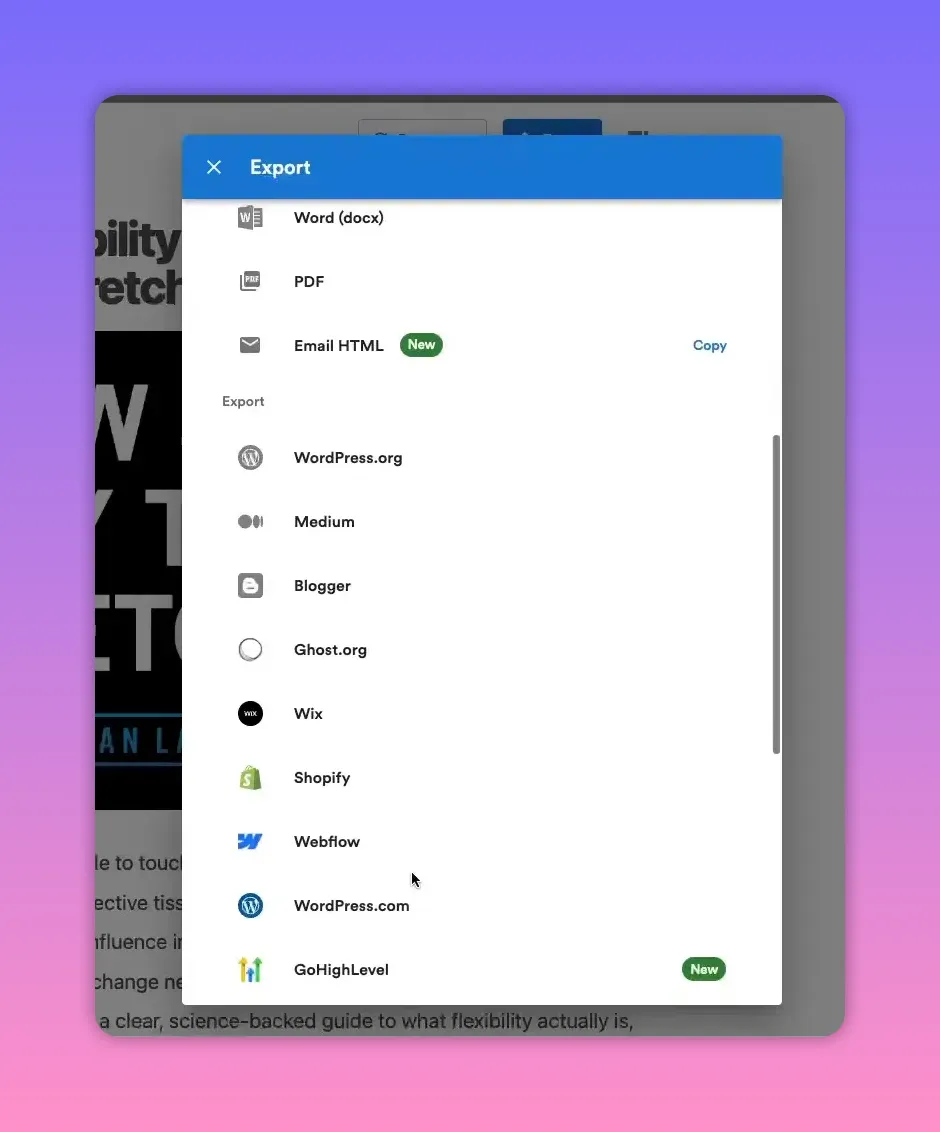
Export and publish
Video To Blog offers one-click publishing for lots of platforms including WordPress, Medium, and Wix. If your CMS isn’t supported, export to HTML, Word, or PDF. You can even export email-ready HTML for newsletters.
Practical tips and best practices
- Add internal links: If you publish multiple episodes, enable internal linking to keep readers exploring your archive.
- Use external references: Adding a few high-quality external links improves credibility and SEO.
- Keep images descriptive: Add meaningful alt text for accessibility and search value.
- Trim and structure: Break long transcript blocks into short, scannable sections with subheadings and lists.
- Mimic your voice: Upload a writing sample when consistent brand voice matters.
- Use table of contents and FAQs: Both help readers and can generate rich results in search engines when schema is added.
- Export for repurposing: Use the email HTML export to create a newsletter that drives readers back to your site.
Quick pre-publish checklist
- Is there at least one featured image with an alt tag?
- Are internal and external links present and relevant?
- Is the meta title and meta description ready?
- Have you edited for clarity and brand voice (10 minutes is a good target)?
- Does the readability score look strong and word count meet your goals?
- Have FAQs or TOC been added if relevant?
Final thought
Converting episodes into SEO-friendly blog posts scales your reach and multiplies content value with minimal extra effort. A short amount of hands-on editing plus thoughtful linking and images will turn automated drafts into durable assets that attract search traffic and serve new audiences.


