How to Turn Any YouTube Video into a Blog Post with ChatGPT

Jan 12, 2026 • 2 min read
Quick overview
Convert a YouTube clip into a polished blog article by extracting its transcript and using ChatGPT to rewrite and structure the content. This method gives you a fast, editable draft you can refine. For fully automated, publish-ready results consider specialized tools that add images, links, SEO metadata, and one-click publishing.
Step-by-step guide
- Grab the YouTube transcript — open the video description, click "Show transcript," highlight the text, and copy it.
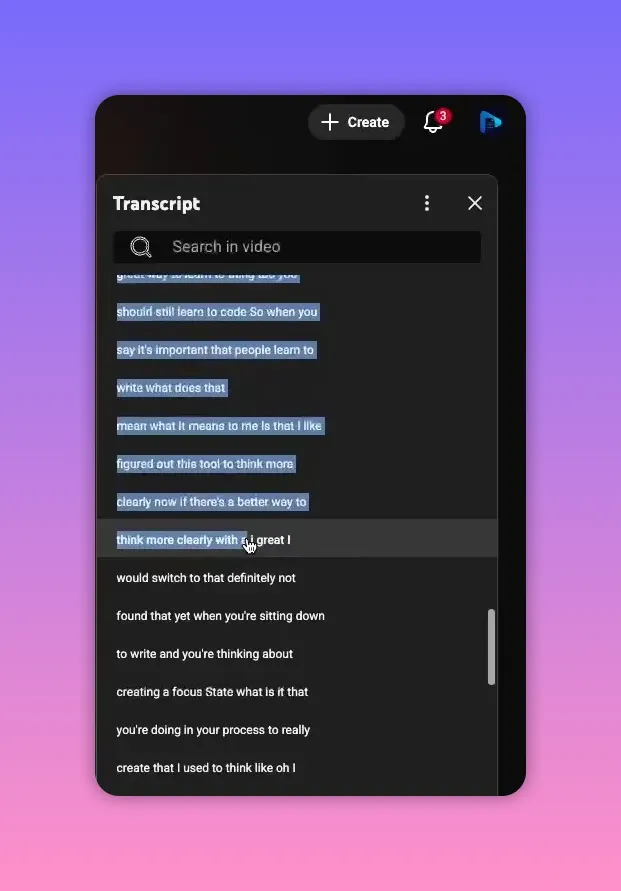
- Open ChatGPT and paste the text — use a simple prompt to start, then expand the prompt with formatting and content requirements as needed.
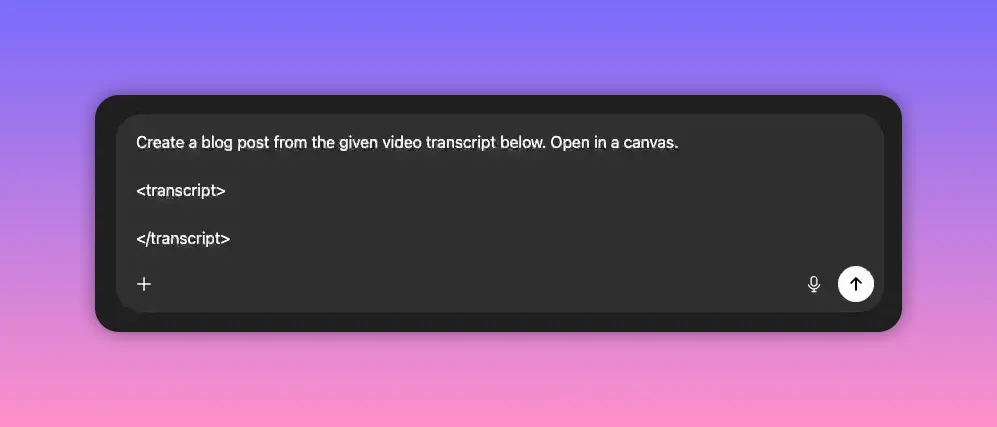
- Use XML delimiters for large blocks — wrap the pasted transcript in XML-style tags so the model can clearly recognize the input boundaries.
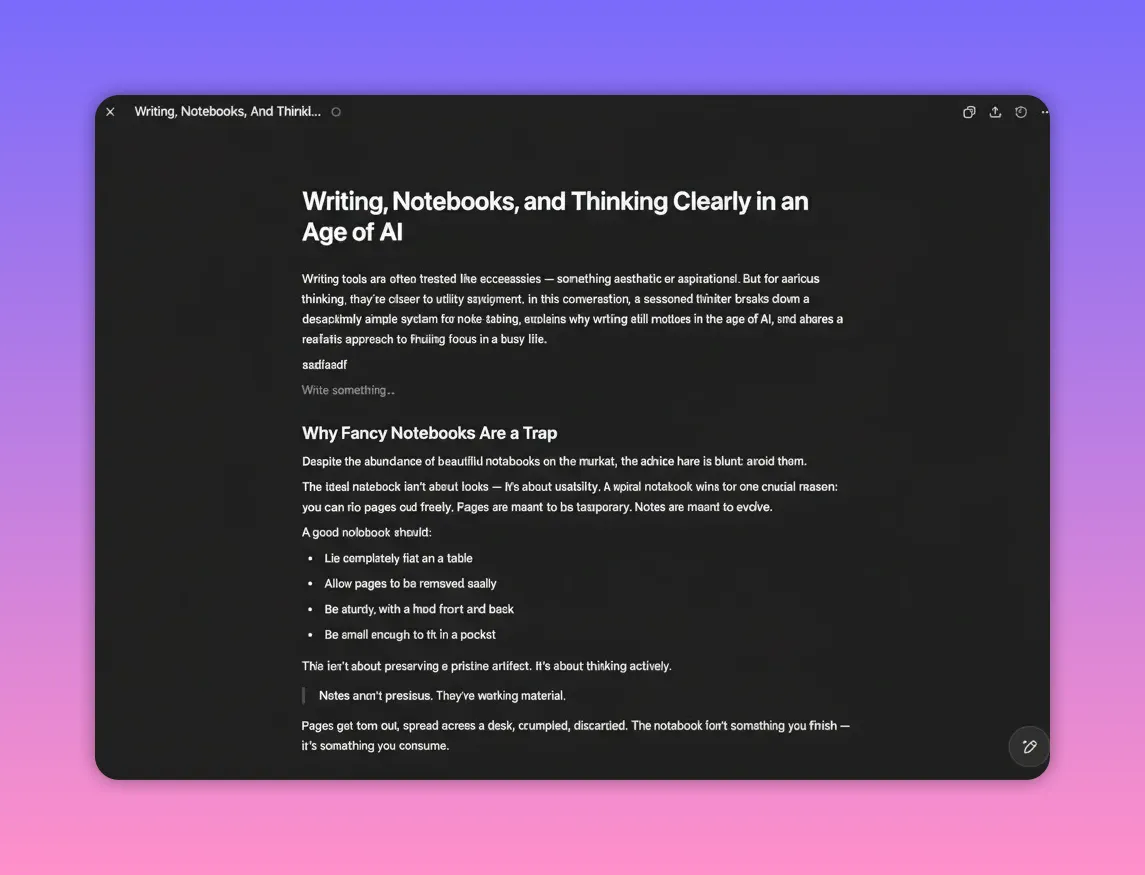
- Ask ChatGPT to open the result in Canvas — when available, Canvas lets you edit the generated article directly inside the chat interface like a document editor.
- Edit and refine — click into the Canvas to tweak wording, reorganize sections, or ask the assistant to make targeted edits via the chat sidebar.
What ChatGPT handles well
- Turning raw spoken-text into a readable, structured article
- Rewriting for tone and clarity
- Generating suggested SEO title and meta description (via an extra prompt)
- Quick iterative edits inside the chat or Canvas
What ChatGPT does NOT handle well
ChatGPT is an excellent starting point, but a few things commonly need manual work before publishing:
- Links: Automatic link insertion can be unreliable. Verify and fix URLs before publishing.
- Images and screenshots: ChatGPT cannot insert images into your CMS. You’ll need to add screenshots or stock/AI images separately.
- SEO metadata and structured data: While the model can suggest meta titles and descriptions, automatic injection into your site requires additional tooling.
- Export to CMS: Most chat outputs must be copied in Markdown or HTML and pasted into your editor; one-click publishing is not built into the chat by default.
Better, faster publishing with a purpose-built tool
If you convert clips regularly and want a publish-ready workflow, consider a tool purpose-built for clipping-to-post conversion. A tool like VideoToBlog.ai streamlines everything:
- Paste a YouTube link and skip manual copying of the transcript.
- Automatically generate a longer, more polished article with professional writing.
- Auto-insert relevant links, either internal or external.
- Automatically add screenshots from the clip or other images, including AI-generated or stock images.
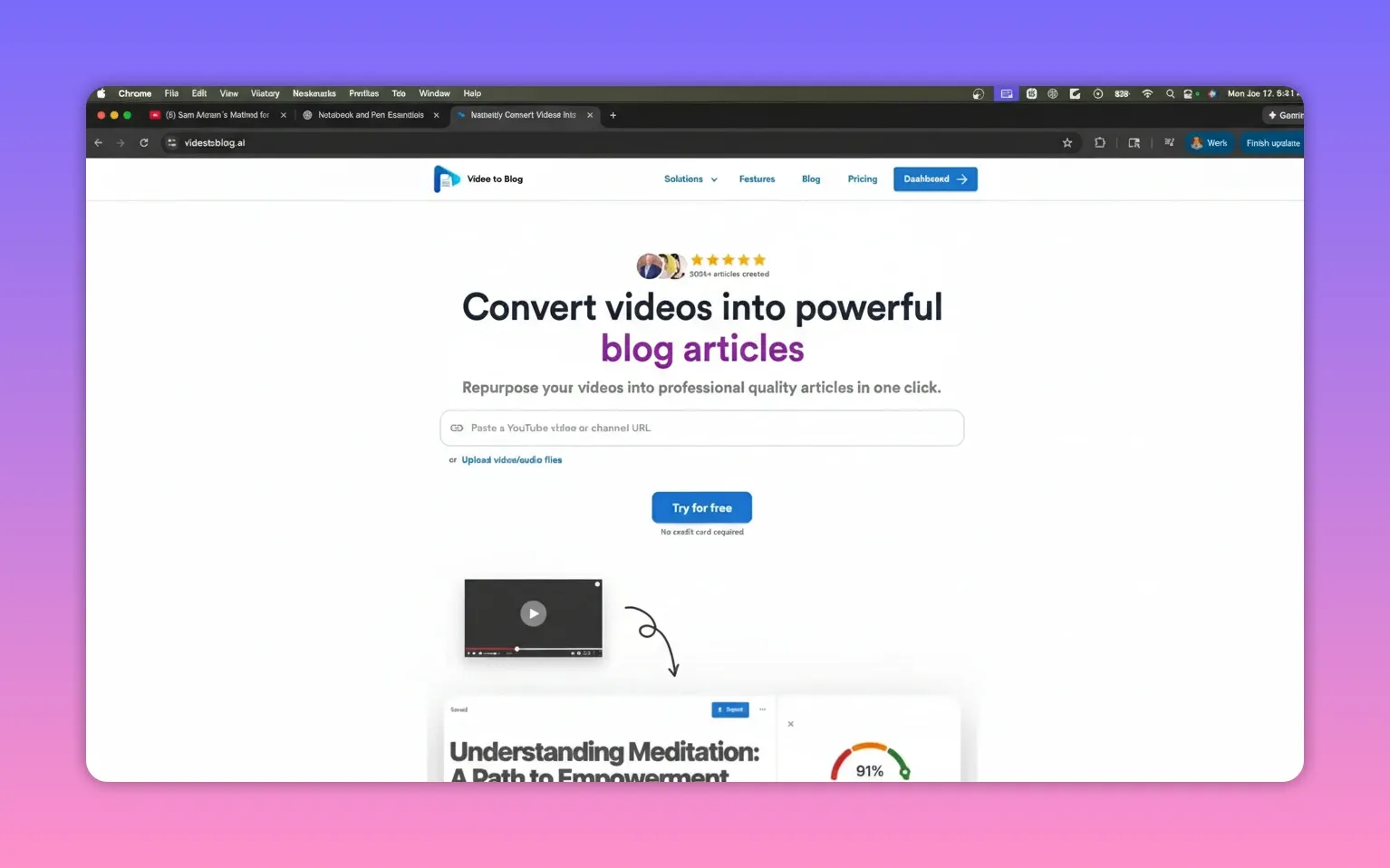
- Generate SEO metadata for each post.
- One-click publish to WordPress, Shopify, Webflow, and other platforms.
- Set up automations so new uploads on a channel create posts automatically and can be emailed or published without manual intervention.
Practical tips and checklist before publishing
- Proofread and fact-check: Spoken content can include filler or incorrect phrasing—clean it up.
- Verify and add links: Insert working internal links and authoritative external references.
- Add images and alt text: Use screenshots, stock photos, or AI images and add descriptive alt text for accessibility and SEO.
- Generate and review SEO metadata: Title tags, meta descriptions, and schema where relevant.
- Format for readability: Short paragraphs, headings, bolded key points, and bullet lists improve scanability.
- Publish flow: Copy as Markdown or HTML into your CMS, confirm formatting, then push live or schedule.
Final recommendation
Using ChatGPT to repurpose YouTube content is fast and effective for creating a solid draft. For occasional conversions, the manual ChatGPT approach plus a quick editing pass will usually be enough. If you need consistent, publish-ready posts with images, links, SEO metadata, and automated publishing, a dedicated conversion tool will save time and reduce manual steps.
Rather watch instead? Check out our video demo here...


